Etsy Listing Mockups: Download & Use Them Well
Your design might be gorgeous, but if your Etsy photos look like a rushed screenshot on a cluttered desk, buyers scroll straight past.
That is exactly why an etsy listing mockups download can feel like a tiny miracle for busy sellers. You get the polished, styled product images customers expect, without printing, pressing, photographing, editing, and re-editing after the school run. But not all mockups are equal, and choosing the wrong ones can leave you with stretched artwork, awkward crops, or images that do not match what you actually sell.
What an Etsy listing mockup download actually is
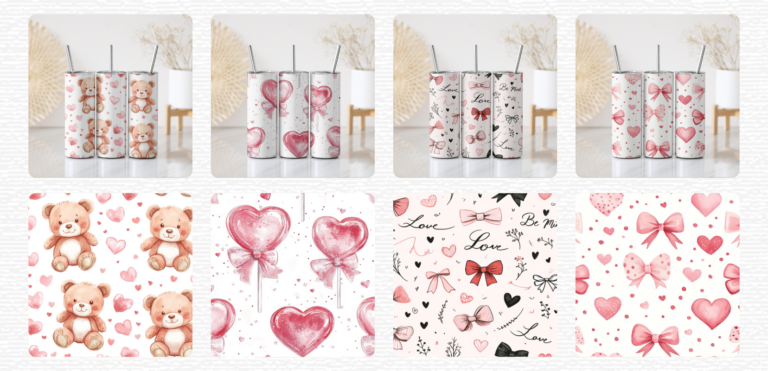
An Etsy mockup is a pre-styled product photo (or set of photos) designed for you to drop your artwork on top. Instead of photographing your tumbler wrap, mug design, sticker, journal cover, or printable, you place your PNG or JPEG into the mockup file and export an image that looks like a real product photo.
Most downloads come in one of two formats. Some are simple JPEG backgrounds paired with a smart object file (often PSD) that lets you insert your design cleanly. Others are “drag and drop” PNG frames or Canva templates where you place your design underneath or inside a designated area. Either can work – it depends on your workflow and what you have time for.
The payoff is speed and consistency. A cohesive set of listing images makes your shop look intentional, even if you are creating in 20-minute pockets of time.
Why mockups matter more on Etsy than people admit
Etsy is visual-first. Buyers are not reading every word of your title before they decide whether to click – they are reacting to the thumbnail.
Mockups help in three practical ways. First, they show scale and context. A mug on a kitchen counter or a glass can in someone’s hand helps a buyer imagine owning it. Second, they reduce uncertainty. Clean presentation makes your product look more “real”, which increases trust. Third, they buy you time. You can list quicker, test niches faster, and update seasonal designs without setting up a full photo shoot every time.
There is a trade-off, though: if your mockups over-promise (wrong colours, wrong product style, unrealistic finishes), you risk confusion and messages that eat your evenings.
What to look for before you buy or download
Mockups are supposed to make life easier. The right ones do. The wrong ones create fiddly, repetitive work.
Check the product type and the “blank” details
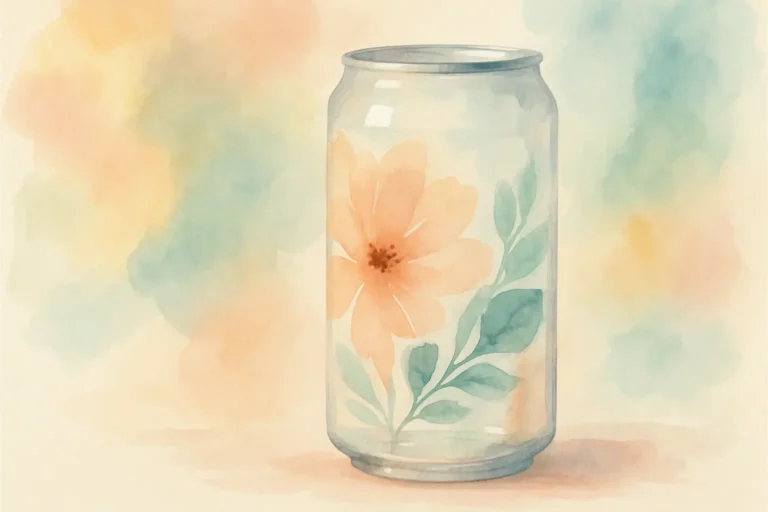
If you sell tumblers, not all tumbler mockups will suit your listings. A 20oz skinny tumbler sits differently to a 40oz handled tumbler. A matte finish looks different to a glossy one. Glass cans photograph differently to stainless steel.
Before you download, look closely at the blank. Is it the same style you sell? Does it match the accessories you include (straw type, lid shape, handle)? Customers notice more than we think – especially when they are comparing similar listings.
Make sure the file format matches your tools
If you are happy in Photoshop, PSD mockups with smart objects are usually the quickest and cleanest. If you do not use Photoshop, look for Canva templates or PNG mockup frames that do not require advanced editing.
Also check whether the mockup is built for a flat design placement or a true wrap. For wraps, you ideally want curvature and highlights already mapped so your artwork looks like it follows the surface rather than floating on top.
Look for realistic lighting and enough negative space
Good lighting sells. Harsh shadows and yellow indoor casts can make even a strong design look off.
You also want a little breathing room for Etsy’s crop. Your first photo gets cropped in thumbnails, and Etsy will often cut off edges if the scene is too tight. Mockups with some negative space give you flexibility.
Confirm what the licence allows
This is the part that protects your shop long-term.
Some mockups are fine for using in product listings but do not allow you to resell the mockup file itself. Others allow broader commercial use. Read the usage terms and make sure they match your plan, especially if you create templates, bundles, or PLR-style products.
If the licence language is vague, assume it is restrictive and choose something clearer. Clarity saves you stress later.
How to use Etsy listing mockups without misleading buyers
Mockups should help buyers understand what they are buying, not create a “too good to be true” moment.
Start by keeping your colours honest. Your design file might be bright neon, but the mockup’s lighting could mute it. Do a quick comparison: if the mockup consistently shifts your palette warmer or duller, either adjust your export or pick a different mockup set.
Next, show more than one view. If you sell a wrap design, one image is rarely enough. Buyers want to understand placement, proportions, and what happens around the back seam. Even if you are selling a digital file rather than a finished tumbler, multiple angles reduce questions.
Finally, pair your mockups with one “plain” graphic in the listing photos when it makes sense – a flat preview on a clean background, or a simple sizing guide. That combination keeps things both pretty and practical.
A calm workflow: from download to finished listing images
When time is tight, the goal is repeatability. You want a process you can follow half-asleep with a cup of tea.
Create a folder system that mirrors what you sell. For example: Mockups > Tumblers > 20oz / 40oz, Mockups > Mugs > 11oz, Mockups > Glass Cans > 16oz. Add a “Seasonal” folder if you change your styling throughout the year.
Then, create one master export size for Etsy images. Etsy uses a 4:3 style crop on thumbnails, so many sellers prefer exporting at 2000 x 1500 px or similar, keeping the product centred with safe space around it. The exact number matters less than being consistent.
Once you have your mockup, drop in your design and export a set: a hero image (the clearest, most clickable), a secondary angle, a close-up, and a detail or information image. If you sell digital downloads, include a clear “digital file – no physical item” image as well, using the same branding style each time.
If you are building up a library of designs fast, it can help to choose one mockup style per product type and stick with it. Consistency reads as professionalism, and it stops you wasting time choosing backgrounds.
Common mistakes that quietly hurt conversions
One of the biggest mistakes is using a mockup that does not match the category. For example, listing a 40oz handled tumbler wrap on a skinny tumbler mockup. Even if your title is correct, buyers skim images first.
Another is ignoring Etsy’s cropping. Text near the edges gets clipped in thumbnails, and your best design elements disappear. Always check your first image in thumbnail view before publishing.
Finally, be careful with clutter. Props are lovely, but too many props can make your product feel smaller and harder to understand. If your design is the star, let it be the star.
Where That Digital Mum fits (if you want done-for-you speed)
If your main goal is getting polished listings up quickly – especially for tumbler wraps, sublimation PNGs, and print-on-demand style assets – browsing a shop that is already organised by format and size can save you a surprising amount of time. That is exactly how That Digital Mum is set up, so you can match what you are making (20oz, 40oz, 11oz mugs, 16oz glass cans) to ready-to-use design assets without overthinking the setup.
Choosing mockups that match how you actually sell
A final nuance that matters: are you selling physical finished products, or digital downloads?
If you sell physical items, your mockups should look like your real materials and finishes as closely as possible, and you may want to include at least one real photo over time to reinforce trust. If you sell digital files, your mockups are more about showing potential. You can be a little more stylised, but you still need to keep previews accurate to the file your customer receives.
If you sell both, consider having two mockup sets: one lifestyle set for physical items, and one clean, informational set for digital downloads. It is not extra work if you set it up once and reuse it.
A helpful closing thought
If mockups have felt like “one more thing” on your already-full list, start small: pick one product type, choose one consistent mockup style, and use it for ten listings in a row. Calm, repeatable systems are how side hustles grow – not perfection, just steady momentum.
Ready to Turn This Into Your First Digital Product?
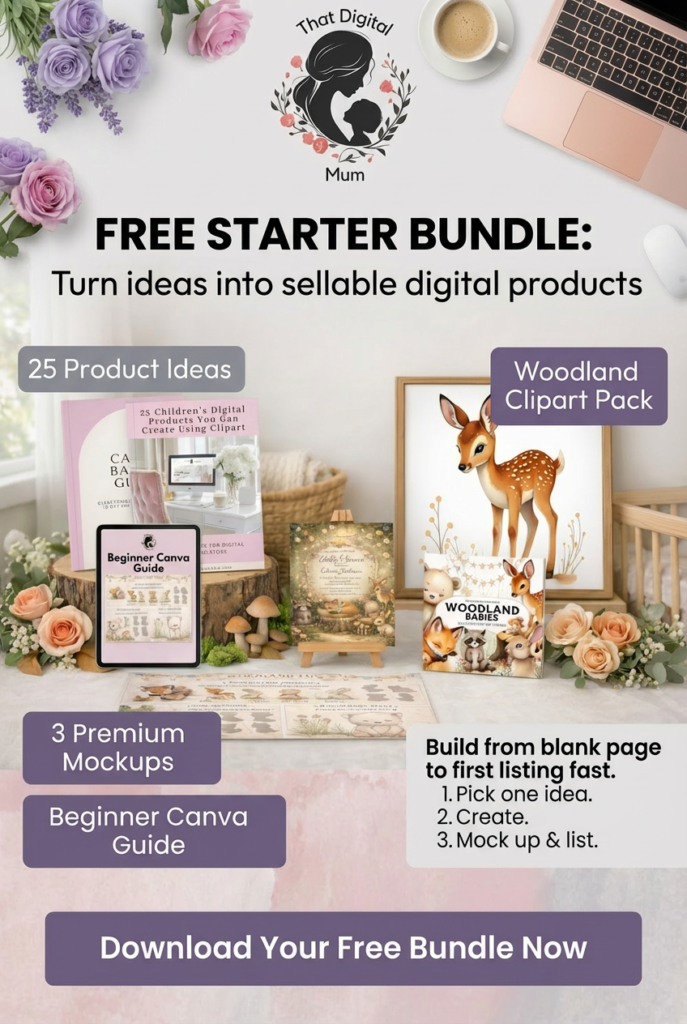
If you’re reading this thinking “this sounds great, but I don’t know what to actually create first” — I made something for you.
The That Digital Mum Free Starter Bundle walks you through the exact process I used to start selling digital products as a busy mum.
Inside you’ll get:
• 25 product ideas you can create this week
• A beginner-friendly Canva guide
• 3 premium mockups to make your listings look professional
• A woodland clipart pack to start designing immediately
No fluff. No tech overwhelm. Just a clear starting point.
Grab it here.