Can You Sell Products Made With Clipart?
You’ve found the perfect clipart bundle, you can already see it on a 20oz tumbler wrap or a cute mug, and then the doubt hits – can I sell items using clipart, or am I about to build a whole product line on a licence that says “no”?
This is one of those questions where the honest answer is: yes, you often can – but only if the licence says you can, and only if you use it in the way the licence allows. Once you understand the few key moving parts, it stops feeling like a legal minefield and starts feeling like a calm, repeatable workflow.
Can I sell items using clipart? The real answer
Most clipart is sold under a licence, and that licence is what decides whether you can sell physical products, digital products, or both.
If you buy clipart that includes commercial use, you can usually sell finished physical items you make with it (think pressed mugs, tumblers, stickers, greetings cards, printed journals). Some licences also allow you to sell certain digital end products, but that’s where the rules can tighten quickly.
If the clipart is for personal use only, you can still craft with it for yourself, gifts, your own home, your kids’ school bits – but you can’t sell items made from it, even if you changed the colours or added text.
The key is this: you’re not buying ownership of the artwork. You’re buying permission to use it under specific conditions.
The three licence types you’ll see most
Licences can be written in a hundred different ways, but for busy makers, it helps to sort them into three practical buckets.
Personal use
Personal use means no selling. Not on Etsy, not at craft fairs, not as “made-to-order” on Facebook, not as a freebie to build an email list. If money (or business growth) is involved, it’s outside personal use.
Commercial use (physical end products)
This is the most common “yes” for makers. With commercial use, you’re generally allowed to create and sell physical products where the clipart is part of a finished design.
You still need to watch for restrictions like production limits (for example, a cap on how many units you can sell), rules about using the artwork as a logo, or requirements to combine the clipart with other elements.
Commercial use plus digital end products (limited)
Some designers allow you to sell certain digital items, but usually only if you add enough value that the clipart can’t be extracted and used as-is.
A classic example is selling a flattened end product (like a ready-to-print planner page PDF) where the clipart can’t simply be lifted out as a transparent PNG. Even then, many licences still say “no digital resale”, so you never want to assume.
What “selling items” actually means (and why it matters)
A lot of licence confusion comes from the phrase “sell items”. A designer might happily allow you to sell mugs you press at home, but forbid you from selling the PNG as a download. Both are “items”, but they’re very different risk levels for the artist.
So when you read a licence, you’re really checking which of these you’re planning to do:
- Sell physical products (sublimation, print-and-cut stickers, printed stationery, finished journals)
- Sell digital end products (printables, planner pages, party games)
- Sell the clipart itself, or anything that competes with it (bundles, “resources”, design packs)
The last one is almost always forbidden unless you’ve specifically bought PLR or a resale licence that allows it.
The biggest licence red flags (the ones that catch people out)
Most takedowns and headaches come from a few common mistakes, especially when you’re moving fast and trying to get listings up between school runs.
“You must create a new design” clauses
Some licences say you can’t use the clipart as the main value of the product. That means slapping one unicorn PNG onto a plain background and selling it as a sticker may be against the terms, even if commercial use is allowed.
In practice, you’re usually safer when you combine elements: add text, build a scene, use a background pattern, create a layout, or turn it into a wrap design that clearly shows your own composition.
Logo and trademark restrictions
Many licences prohibit using clipart as a logo or brand mark. If you’re planning to put it on your shop banner, watermark, or packaging as “your brand”, that’s a different use case than putting it on a mug design.
POD (print-on-demand) is often treated differently
Some licences allow you to sell physical products you make yourself, but not through print-on-demand services. Others allow POD but require an extended licence.
If you’re outsourcing production, always check for “POD allowed” wording. If it isn’t mentioned, don’t assume it’s fine.
“No sharing” includes your manufacturer
If you work with a local printer or someone who presses products for you, sending them the PNG may count as “sharing the file”, which many licences prohibit.
Some licences allow you to pass files to a production partner as long as it’s solely for fulfilling your orders and they don’t keep or reuse the file. Ideally you want that permission clearly stated.
How to use clipart in a way that’s usually safer
If you want to build a calm, sustainable shop where your designs don’t get flagged and you’re not constantly second-guessing yourself, aim for workflows that respect the artist’s business.
Use clipart as an ingredient, not the whole meal.
That might look like turning individual PNGs into a full tumbler wrap layout, layering clipart with digital papers, adding your own typography and colour palette, or creating themed sets (for example, a “teacher appreciation” range that uses coordinating elements across mugs, glass cans, and stickers).
For physical products, it’s typically best practice to sell the finished item, not the file. For digital products, it’s typically best practice to sell flattened formats (like PDF) if your licence allows digital end products at all.
Clipart, sublimation, and the “is it transformative?” question
People love asking whether changing the design makes it okay. The truth is: “transformative” is a copyright concept, but your licence terms matter more for your day-to-day business.
If the licence says personal use only, changing colours, adding a name, or putting it in a circle doesn’t magically create commercial rights.
If the licence allows commercial use, “transforming” the clipart by building a full composition is still a smart move – not because it fixes a bad licence, but because it helps you create more original-looking products and reduces the chance that your listings look identical to everyone else using the same bundle.
When you need PLR instead
If your actual goal is to sell digital design products – for example, you want to resell clipart packs, create your own bundles, or offer ready-made designs your customers can use commercially – standard commercial use clipart often won’t cover that.
This is where PLR (private label rights) can be a better fit, because PLR is designed for repackaging and resale within set rules. Even with PLR, you’ll still have boundaries (for example, whether you can sell as-is, whether you must edit, whether you can claim authorship), but the intent is different: it’s built for creators who want scalable digital income.
If you’re building a product library for both crafting and business, it’s worth keeping your folders clearly separated: personal use, commercial physical, and PLR. Future-you will be grateful.
A practical way to check a licence in under 2 minutes
When you’re about to buy or use a file, you can stay calm by asking four quick questions:
First, does it explicitly say commercial use is included? If not, treat it as no.
Second, does it say what you can sell – physical items, digital end products, or both? If it only mentions “commercial use” but never mentions digital, assume physical-only unless it’s clarified.
Third, does it mention POD or third-party production? If you rely on that, you need permission in writing.
Fourth, does it forbid “reselling, sharing, or redistributing”? If yes (and it usually does), that means you can’t sell the PNG, SVG, or clipart pieces, and you can’t upload them somewhere your customers can download the raw art.
If anything feels vague, pause and choose a file with clearer terms. Speed-to-market is only helpful if you can keep the listing up.
Real examples: what’s usually allowed vs not
Because this gets confusing fast, here are examples in plain English. These are “typical licence” scenarios, not a promise – always default to the licence you actually bought.
Selling a pressed mug you made using a commercial-use PNG is commonly allowed. Selling a completed 20oz tumbler wrap you designed and printed, where the clipart is part of a larger layout, is also commonly allowed.
Selling the PNG as a download is commonly not allowed. Selling a “clipart bundle” you assembled from someone else’s elements is not allowed unless you have PLR/resale rights that explicitly permit it. Uploading the transparent PNG to a POD platform may or may not be allowed – it depends on the licence.
Selling a printable PDF that includes clipart might be allowed if the licence permits digital end products and the file is flattened. Selling an editable Canva template that contains the clipart is often not allowed, because the artwork can be extracted.
How That Digital Mum helps you stay on the right side of “commercial use”
If you prefer shopping where the product types are clearly labelled for makers – clipart bundles, sublimation PNGs, tumbler wraps in standard sizes, mock-ups, and PLR options for digital resale workflows – you can browse at That Digital Mum and choose assets that match how you actually sell (physical crafting, digital products, or both) without needing to overthink every file.
The calm mindset shift that makes this easier
Try not to think of licensing as a hurdle. Think of it as part of running your shop like a grown-up business – the same way you’d think about pricing, packaging, and dispatch times.
When you choose clipart with clear commercial terms and you use it to create finished, well-composed products, you’re not “getting away with it”. You’re doing what the licence was designed for: helping you make something lovely, quickly, and sell it with confidence.
If you’re ever unsure, choose clarity over speed. Your future listings – and your peace of mind – are worth it.
Ready to Turn This Into Your First Digital Product?
If you’re reading this thinking “this sounds great, but I don’t know what to actually create first” — I made something for you.
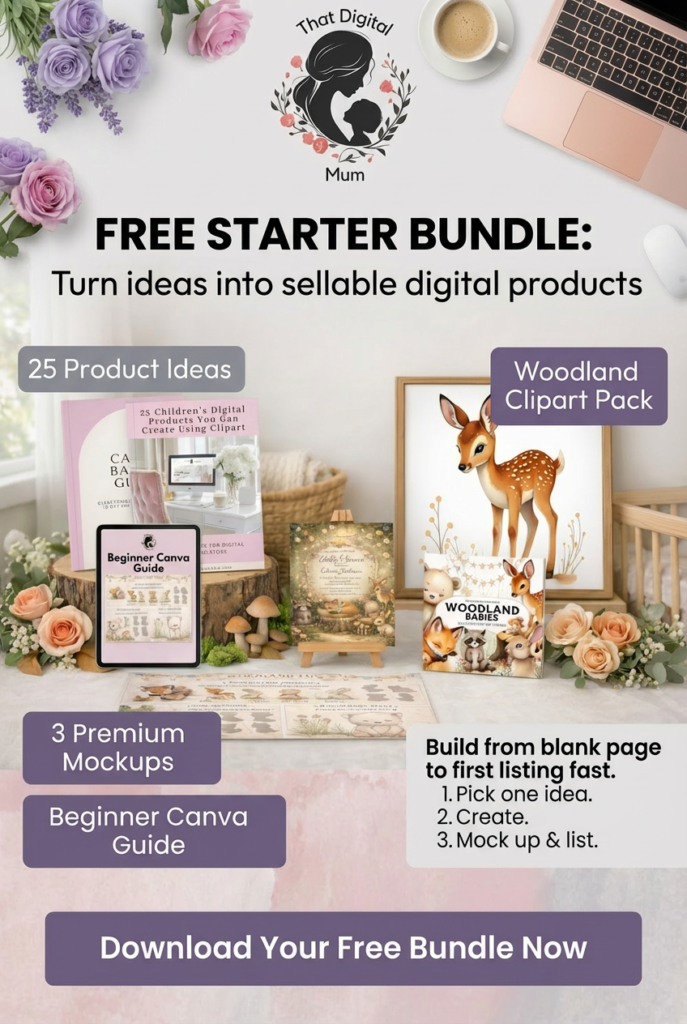
The That Digital Mum Free Starter Bundle walks you through the exact process I used to start selling digital products as a busy mum.
Inside you’ll get:
• 25 product ideas you can create this week
• A beginner-friendly Canva guide
• 3 premium mockups to make your listings look professional
• A woodland clipart pack to start designing immediately
No fluff. No tech overwhelm. Just a clear starting point.
Grab it here.